CleverGet Recorder Review: Perfect for Stream Video Recording?
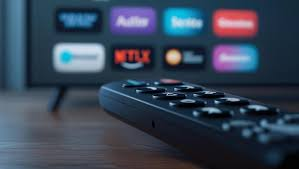
In the world of online entertainment and content creation, recording streaming videos has become more important than ever. Whether you’re a gamer, live streamer, educator, or someone who wants to capture live shows and webinars, having a reliable recording tool is essential.
One software that’s gaining attention in this field is CleverGet Recorder — a versatile video recording tool developed by Leawo Software. Many users have asked whether it truly delivers professional-grade results and whether it’s the perfect solution for stream video recording.

In this CleverGet Recorder review, we’ll explore its features, performance, pros and cons, and how it compares with other popular screen recorders like Camtasia and ScreenFlow. Let’s find out if CleverGet Recorder really stands out as the ultimate stream recording tool.
Part 1: Overview of CleverGet Recorder
CleverGet Recorder, developed by Leawo Software, is a comprehensive screen and stream recording tool designed for both beginners and professionals. The program allows users to capture streaming videos in high quality.
Unlike traditional recorders that focus on basic screen capture, CleverGet Recorder integrates smart recording technologies that adapt to live streams, ensuring smooth, lag-free, and high-definition output. Its intuitive interface makes it accessible to beginners, while its robust configuration options cater to power users who need more control.
CleverGet Recorder can record streaming videos from popular platforms such as YouTube Live, Twitch, Facebook Live, and more, without compromising on video or audio fidelity. Whether you’re looking to save an educational stream or preserve your favorite live concert, this tool provides a flexible, stable solution.
Part 2: Key Features of CleverGet Recorder
Let’s take a detailed look at what makes CleverGet Recorder stand out among today’s best video capture tools.
1. Recording Quality
When it comes to recording streaming videos, quality is king. CleverGet Recorder excels here by supporting up to 4K resolution recording with crystal-clear sound. The software captures video directly from your display in real-time, ensuring every detail is preserved.
Users can also choose between frame rates (up to 60fps) to balance quality and performance. The software’s hardware acceleration feature reduces CPU usage, allowing smoother recordings even during high-action sequences like gaming or live sports streams.
2. Output Formats
A common limitation in many screen recorders is the narrow range of output formats. However, CleverGet Recorder offers impressive flexibility by supporting popular video formats such as MP4, MKV.
You can easily adjust bitrates, codecs, and resolutions to match your playback or editing preferences. This ensures compatibility with most devices and video editing software — perfect for content creators who edit recordings before uploading to YouTube or Vimeo.
3. Real-Time Live Stream Recording
One of the biggest strengths highlighted in every CleverGet Recorder review is its ability to record live streams in real-time. Whether it’s a Twitch broadcast, or a YouTube Live event, the program captures everything seamlessly without stutter or sync issues.
It even allows scheduled recording — meaning you can set the software to start and stop recording automatically at specific times. This is ideal if you can’t be online when your favorite live event starts.
The live recording engine in CleverGet Recorder ensures that even extended recording sessions maintain stable performance without frame drops or overheating issues, which is a common concern with lower-end recorders.
These features make it ideal for professionals who need precision and control while recording tutorials, gameplay, or business presentations.
Part 3: Pros & Cons
Let’s summarize the major advantages and a few minor drawbacks of CleverGet Recorder.
Pros
- ✅ High-quality recording up to 4K resolution.
- ✅ Wide output format support (MP4, MKV).
- ✅ Real-time live streaming capture with no lag or desync.
- ✅ Custom recording settings for audio, and effects.
- ✅ Scheduled recording feature for automatic capturing.
- ✅ User-friendly interface suitable for beginners.
- ✅ Lightweight performance with hardware acceleration.
Cons
- ❌ Some advanced features (like recording in higher speed) are only in the premium plan.
- ❌ Lacks built-in editing tools (you’ll need separate software for video editing).
Despite minor drawbacks, CleverGet Recorder performs exceptionally well in delivering what it promises — seamless, high-quality streaming video recording.
Part 4: How CleverGet Recorder Compares to Other Recorders
When evaluating recording software, it’s useful to compare how CleverGet Recorder stacks up against industry leaders like Camtasia and ScreenFlow.
| CleverGet Recorder | Camtasia | ScreenFlow | |
| Supported OS | Windows, macOS | Windows, macOS | macOS only |
| Recording Quality | Up to 4K | Up to 4K | Up to 4K |
| Output Formats | MP4, MKV | MP4 only | MOV, MP4 |
| Editing Tools | No editing features | Built-in advanced editor | Built-in editor |
| Live Stream Recording | Yes (real-time, scheduled) | Limited | Limited |
| Ease of Use | Very beginner-friendly | Moderate (more technical) | Moderate |
| Hardware Acceleration | Yes | Partial | Yes |
| Price | Free | $179.88/year | $169 |
Comparison Summary
- Camtasia is ideal for users who need powerful editing features but comes at a premium price and lacks real-time stream recording flexibility.
- ScreenFlow is popular among Mac users, offering excellent performance but limited compatibility.
- CleverGet Recorder, by contrast, offers cross-platform support, robust recording quality, and the ability to record streaming videos in real-time — all for free.
If your main goal is to record streaming videos quickly and in high quality, CleverGet Recorder provides better value for money than its competitors.
Part 5: Final Verdict — Is CleverGet Recorder Perfect for Stream Video Recording?
After testing and reviewing all its functions, it’s clear that CleverGet Recorder is an excellent all-around tool for recording streaming videos.
Its 4K recording quality, wide output format support, and real-time live stream capturing capabilities make it a reliable option for both casual and professional users. While it doesn’t include a built-in video editor like Camtasia or ScreenFlow, it excels in simplicity, efficiency, and performance.
If you’re searching for a dependable way to record streaming videos for personal or professional use, CleverGet Recorder is not just a good choice — it’s one of the most well-rounded and reliable options available today.
also read: How to Validate Email and Boost Your Cold Outreach Success


